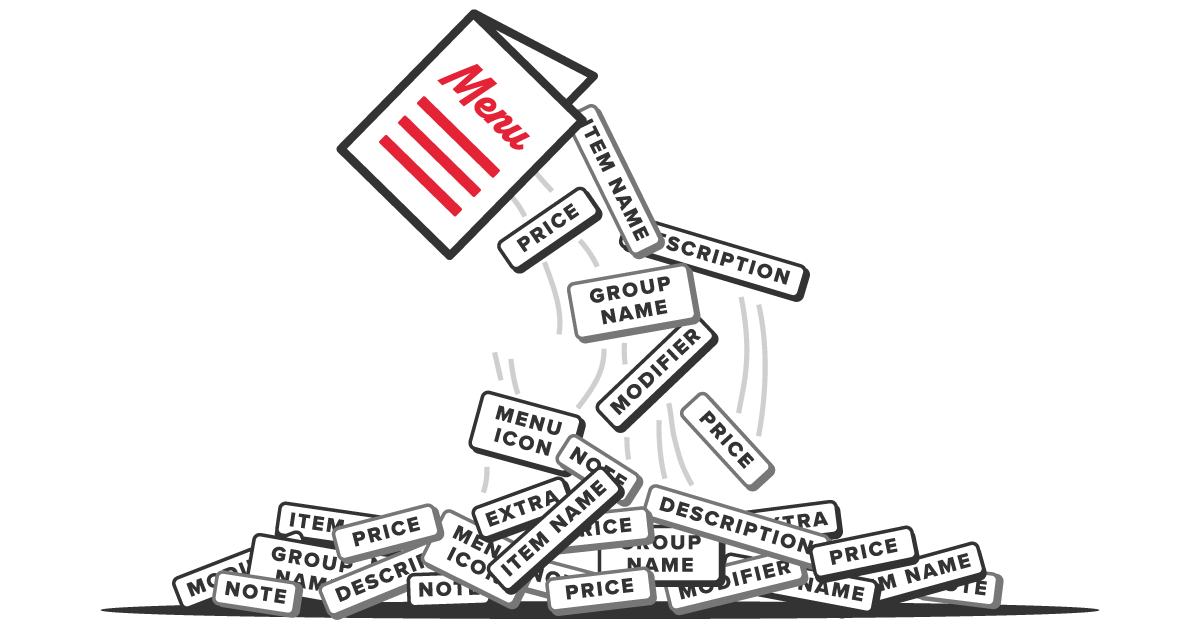




Menus, if you've ever tried to build one from scratch, are tough. They're not one layout, they're a set of nested layouts. And each of those must fit together at all times to create a harmonious whole. As a customer, you just see the whole, but as a designer you see the building blocks and along with their particular design challenges.
General design apps like Canva or InDesign make it somewhat easy to create a simple menu. But creation is the easy part. The hard part is managing updates over the lifetime of the menu. This is where the general apps break down.
In order to understand what goes wrong in menus, let's take a deeper look at the key menu building blocks.
Menu Data Building Blocks
Menu Items
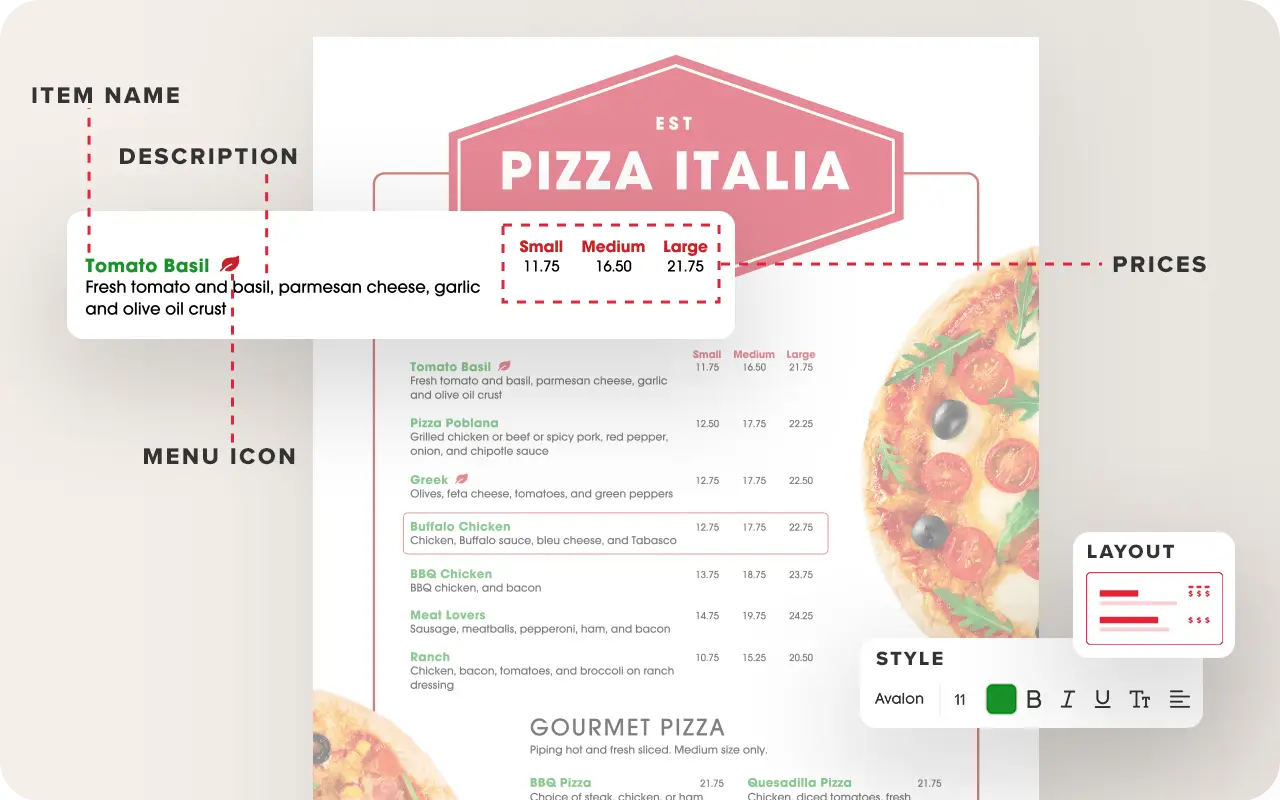
Each food item contains distinct elements, each balanced against each other in a very specific and intentional way. Often, there's more than just name, description and price. There can be multiple prices for sizes. Add-ons, extras, and modifiers. Bin numbers and calorie counts.
What about menu icons? There can be any number of icons for spice, diet, allergen, favorite and so on. Think of the problem of where to put menu icons. What's their relationship to the item? You may be surprised that they can go anywhere - before name, after name, after description, in the middle of the text!
Any and all item configurations are seen in restaurant menus depending on what the brand is trying to tell us. And whatever that placement turns out to be, it must be consistent throughout each menu group.
Menu Groups
Items are bundled together in menu groups and each of these has a layout: Line spacing, columns, justification, alignment and more. Then all of the groups come together on the page and that comprises the full layout. This is not your ordinary flyer making - this is what we call technical layout.
5 Features that Streamline Menu Updating
Critical menu infrastructure for large scale, multi-location updates
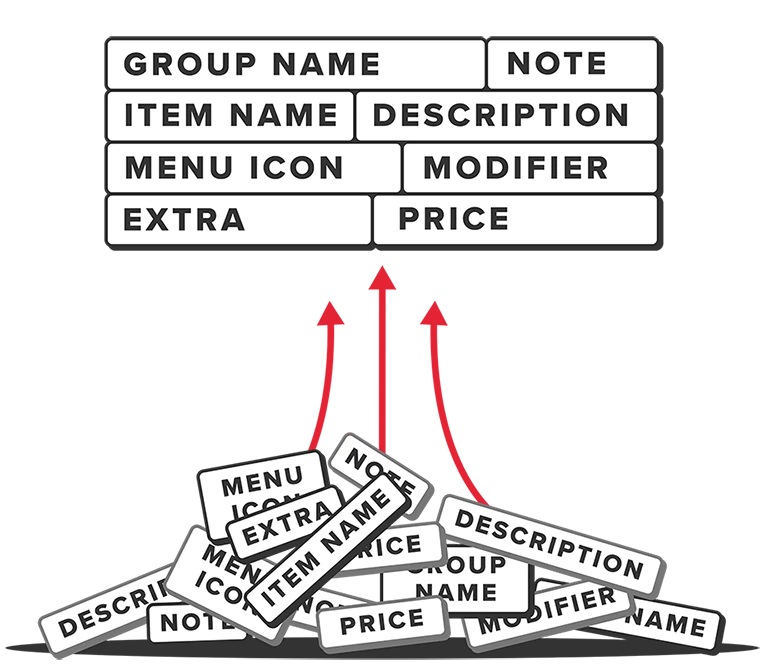
To summarize what we've seen, menus organize data on a page using layout rules plus text styling rules. Items are nested inside groups, groups are nested inside the menu. This is technical design (or data design).
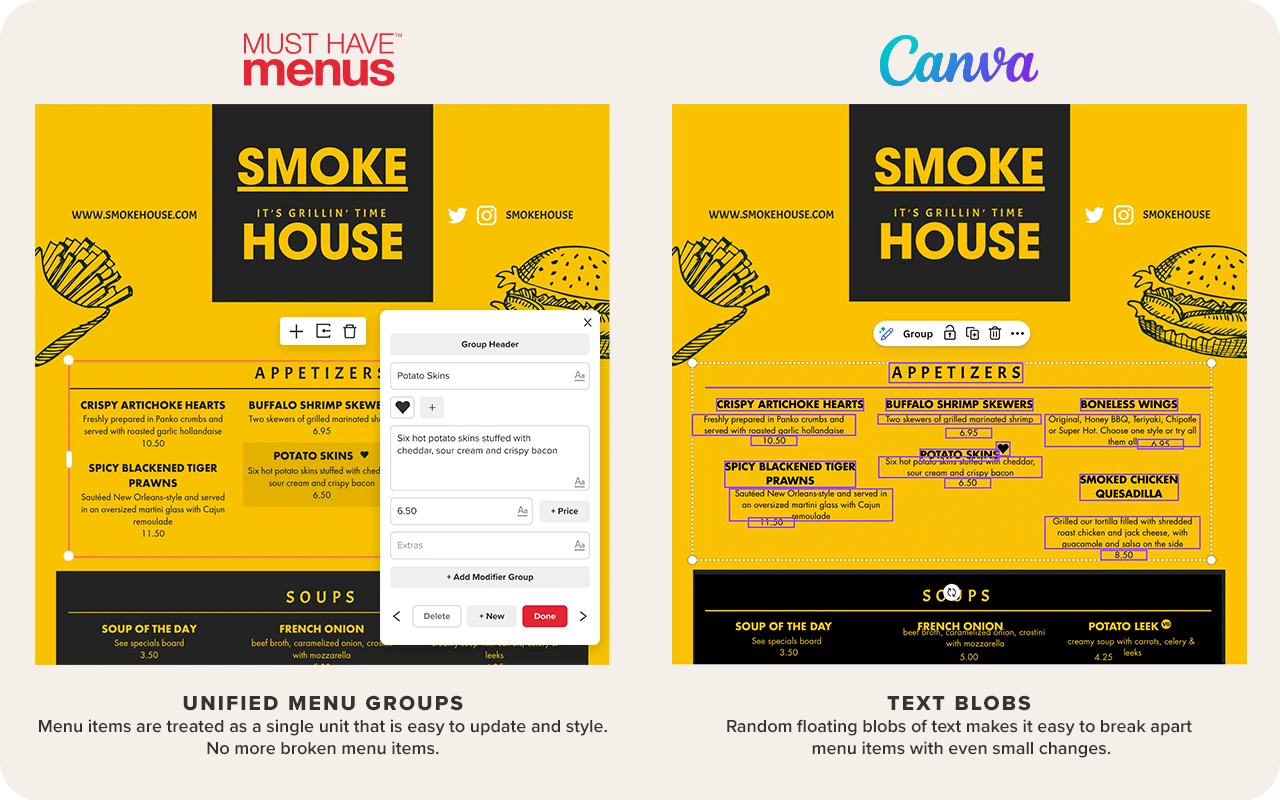
Menus Are Technical Design, Not Blobs
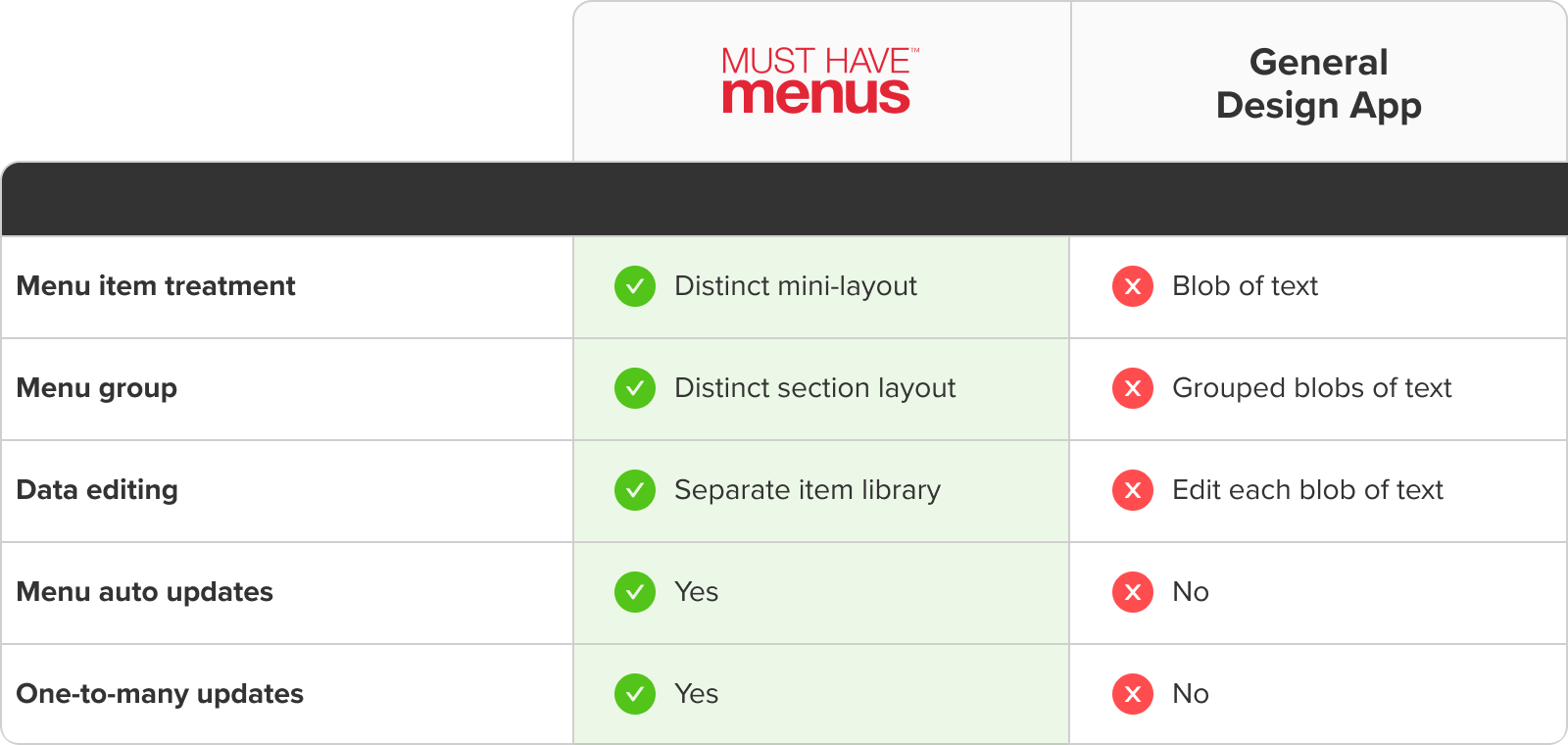
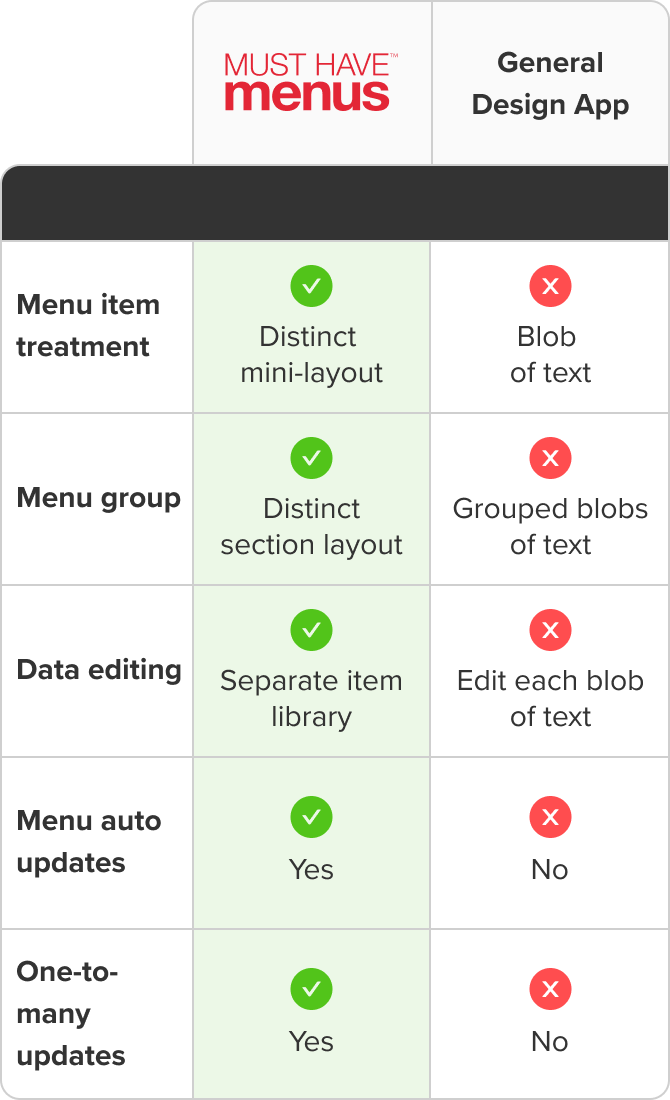
When you're doing technical menu design, you need a program that understands the problem and was built from the ground up to address it. Mainstream apps like Canva and InDesign will of course let you place individual pieces of text on a beautiful page. But these are what we call “text blobs”. The app does not treat your items and groups like integrated concepts - just like random floating blobs of text.
In the process of editing, a text blob easily gets separated from its neighbor. This makes menu items and groups very easy to break with even small changes. Any hospitality organization with more than a modest seasonal need to edit one menu will find that mainstream apps make their menus fragile.
This, by the way, is one reason why marketing departments get stuck owning menu updates. They are afraid their columns or alignments will be broken, or their prices will be floating in space while item names are pushed down the page. What they need is a boost of confidence.
 Hot take
MustHaveMenus Simplifies Menu Operations
When managing many menus across many locations, you can't afford hours of redesign with every update. A purpose-built system like MustHaveMenus combines menu item data with design in a way that makes updates simple, fast and relatively error-free. And since MustHaveMenus has a familiar feel, the learning curve is minimal. Once you make the switch, your team will never want to go back.
Compare menu formatting